

I discovered recursive CTE during my in-depth SQL exploration back in 2018. However, I have never had an opportunity to implement them in production. Until recently where I was migrating workflows from SQL Server to Databricks and one of them was using the recursive CTEs to build a hierarchy table. If it's the first time you hear about the recursive CTEs, let me share my findings with you!
What would it take for you to trust your Databricks pipelines in production?
A 3-day bug hunt on a 3-person team costs up to €7,200 in lost engineering time. This workshop teaches you to prevent that — unit tests, data tests, and integration tests for PySpark and Databricks Lakeflow, including Spark Declarative Pipelines.

Konieczny
Recursive CTE 101
In simple terms, a recursive CTE is a CTE (Common Table Expression) that refers to itself from an implicit loop. The loop is implicit because it's not expressed the same way as for the programming languages, i.e. you won't find a for or while keyword common in modern programming languages. Put differently, a CTE is meant to be recursive when it refers to itself.
A recursive CTE is composed of two parts shown in the next image:
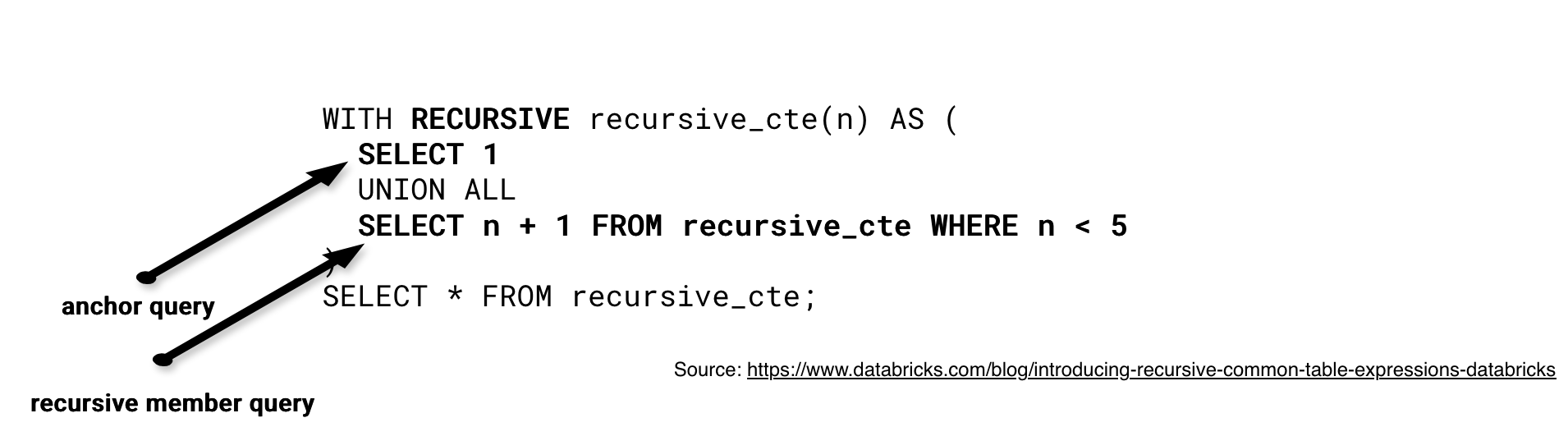
The anchor query computes the initial rows that are later combined, as part of the first recursion, with the results of the recursive member query. The rows created by this first combination are later recursively combined with the new rows returned by the recursive member query. The combination stops at the condition defined in the recursive member query (WHERE n < 5) or after reaching a specific number of iterations to avoid infinite loops.
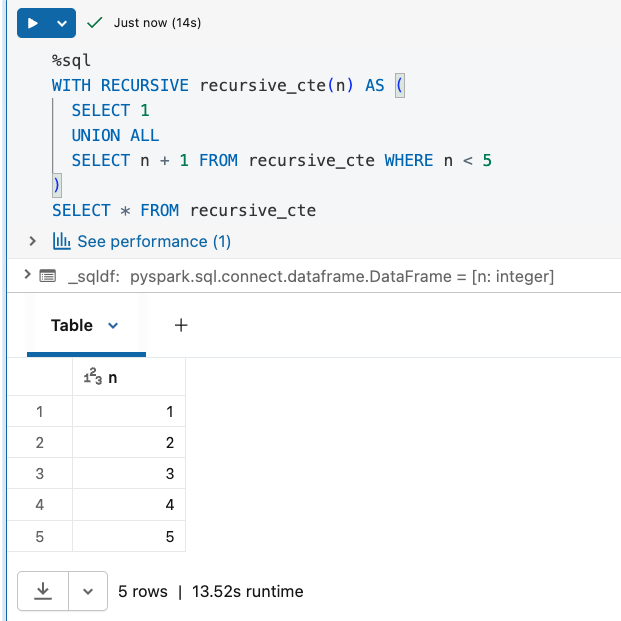
When you try to run the code from the previous picture, you should get this:
Features on Databricks
Databricks supports recursive CTEs from DBSQL 2025.20 and Databricks Runtime 17.0. To use them, simply start your CTE with the WITH RECURSIVE prefix and put both anchor and recursive member queries inside. Once you declare the recursive query, you can use it next in the SELECT... statement.
A good rule of thumb for recursive CTEs, but also for all kinds of recursion, is to control the depth. If you have already written some Java code in the past, you probably encountered StackOverflowError due to too deep recursion and exhausting stack memory space. It also exists in Python but I haven't had a chance to deal with it (am I a better engineer then?). If you want, you can simulate the RecursionError with this snippet:
import sys

iterations = 1
def infinite_recursion():
    global iterations
    iterations += 1
    infinite_recursion()

try:
    infinite_recursion()
except RecursionError as e:
    print(f"Error caught after {iterations} iterations: {e}")
    current_limit = sys.getrecursionlimit()
    print(f"Current recursion limit: {current_limit}")
To control the recursion depth, you have two choices. The first is the stop condition in the query. For example, if you are joining already accumulated results with the new recursive candidate rows, you can stop when there are no more matches possible. The stop condition is good if it won't make your query too expensive, though. Imagine a huge table that will be running recursively. You would need a strong cluster to get the recursion right and with the pay-as-you-go mode, the longer your query runs, the more you pay. In that case, you can decide to stop after an arbitrary number of iterations, thereby defining the max recursion level. Databricks recursive CTEs support both solutions.
📝 Stop condition vs. max recursion level
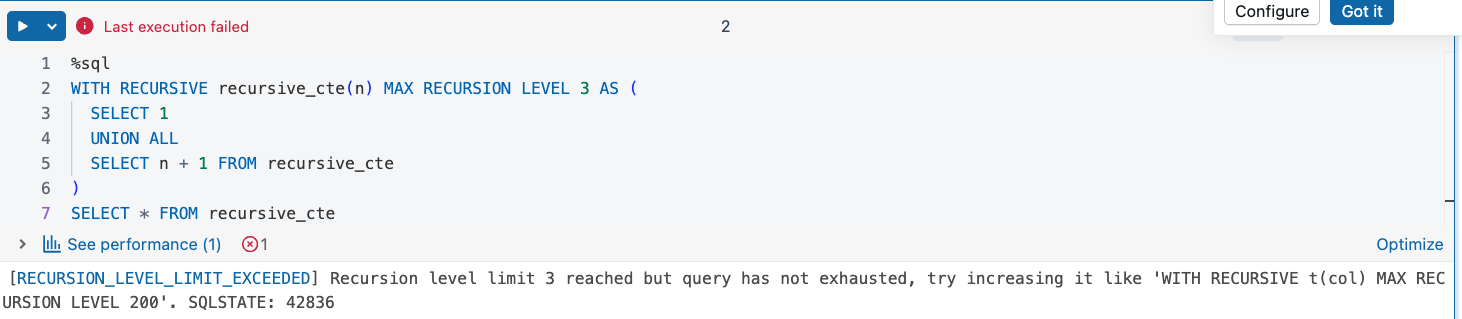
Technically, the stop condition and max recursion level are two different features. Although they both can protect you against infinite recursion, there is substantial difference. The stop condition will simply stop recursion after reaching the point you specified. On another side, the max recursion level will fail if the recursion hasn't completed within the configured level. Here is what happens when you try to run the max recursion level without the stop condition:
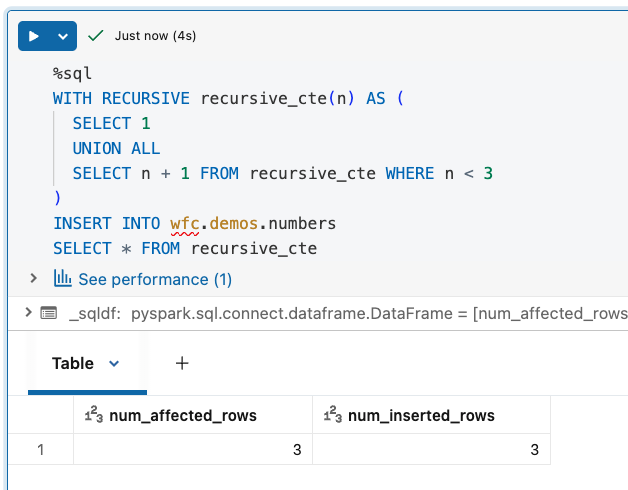
Another interesting feature is writing. Recursive CTEs can be used as part of the INSERT INTO SELECT statements. Put differently, the results of your recursion can be easily materialized as a new table in SQL! Example below:
The recursive CTE also works as a subquery for DELETE FROM statement:
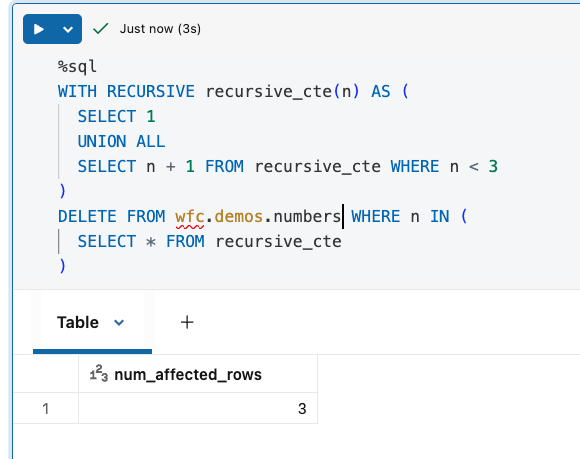
However, when you try to run MERGE with the recursive CTE as the source, you will get an error like:
Could not verify permissions for logical node MergeIntoCommandEdge SubqueryAlias source, SubqueryAlias target, `wfc`.`demos`.`numbers`, Delta[version=3, ... nitystorage/schemas/1ca9574b-9391-a8bf-8ef3-c5b4eefb6e0f/tables/2bo50bb4-8k90-45a0-9d0a-3a3e4ee49800], (n#13893 = n#13899), [Insert [actions: [`n` = n#13899]]], StructType(StructField(n,IntegerType,true)), false
A mitigation might consist of materializing the results of the recursive CTE before running the MERGE.
Databricks example
Let's start this example section with three code snippets showing how to apply recursion limits. The first one uses a condition in the recursive member query:
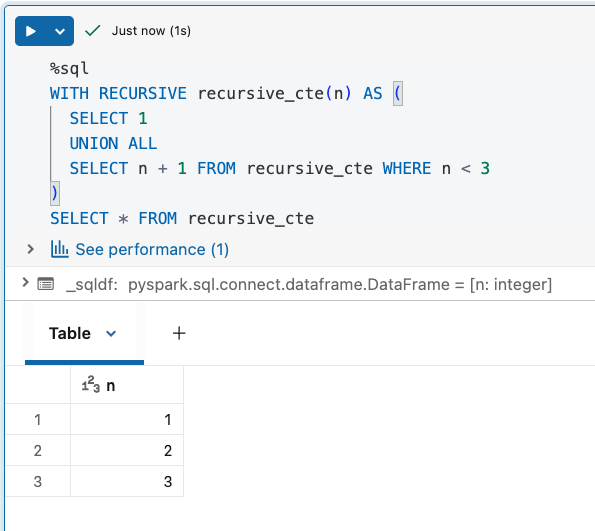
An alternative is the MAX RECURSION LEVEL attribute defined alongside the recursive CTE. You already saw it fails the recursion if the level is too deep. I will skip it in this section. Please refer to the previous one if you need more details.
Finally, you can also use a good old LIMIT clause in the SELECT statement:
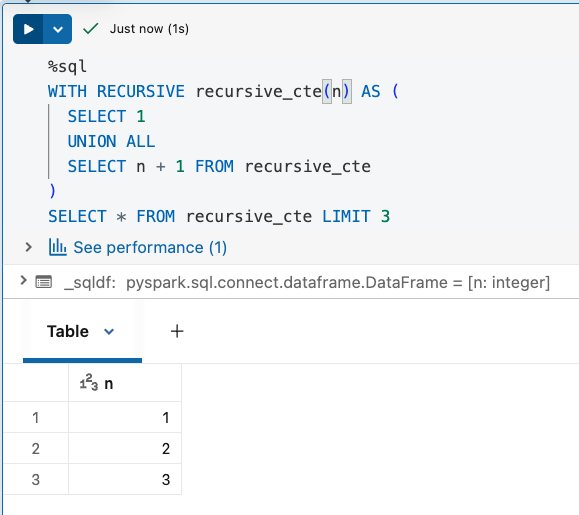
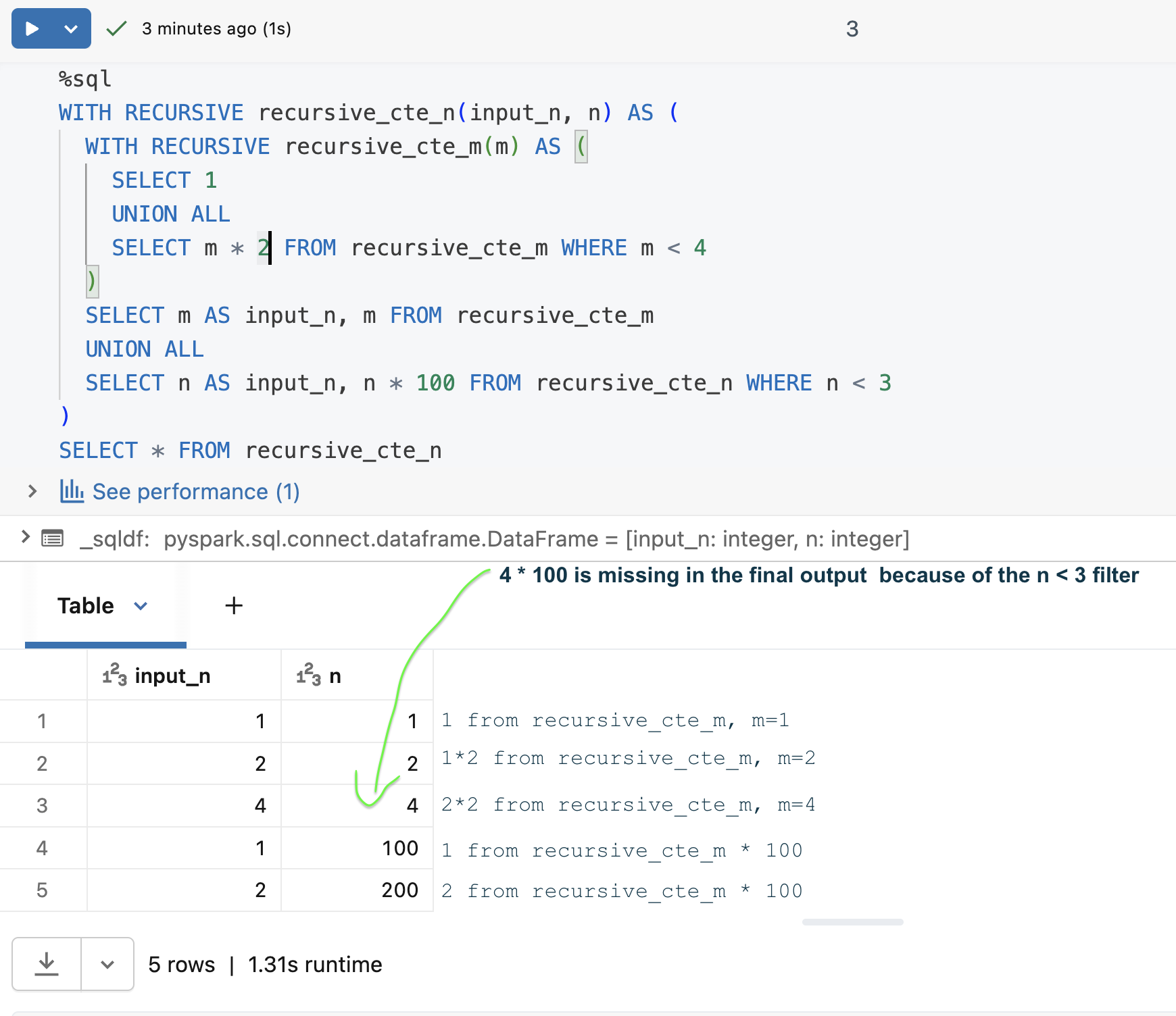
When it comes to more advanced use cases, you will find the full list of the features always up-to-date in the recursive CTE documentation, but at the moment my favorite one are nested recursive CTEs. Here is how to build a nested recursive multiplication:
Recursive CTEs are another powerful feature you can leverage in Databricks to build your data solution, or simply to migrate from your previous data backend to Unity Catalog!
Data Engineering Design Patterns

Looking for a book that defines and solves most common data engineering problems? I wrote
one on that topic! You can read it online
on the O'Reilly platform,
or get a print copy on Amazon.
I also help solve your data engineering problems contact@waitingforcode.com 📩
Read also about Recursive CTE on Databricks here:
- Introducing Recursive Common Table Expressions: Making Databricks SQL Turing Complete Common table expression (CTE)
Related blog posts:
- Lakeflow Jobs, when it can and can't be a default data orchestration setup?
- Medallion layers, do you need them all?
- Python script tasks on Databricks