

Unlike a standard cron schedule or a file-arrival trigger, the continuous trigger transforms your Lakeflow job into an "always-on" service. It ensures that as soon as one run finishes (or fails), the next one kicks off immediately. It's the sweet spot for data engineers who need the reliability of a job but the low latency of a stream. In this post, we'll dive into how continuous triggers work, why they are the secret weapon for Structured Streaming stability, and how to set them up in your next Lakeflow project.
What would it take for you to trust your Databricks pipelines in production?
A 3-day bug hunt on a 3-person team costs up to €7,200 in lost engineering time. This workshop teaches you to prevent that — unit tests, data tests, and integration tests for PySpark and Databricks Lakeflow, including Spark Declarative Pipelines.

Konieczny
Difference
Databricks Lakeflow jobs support various scheduling mechanism:
- Event-driven with the file uploaded to a volume
- Schedule-based with a CRON expression
- Manual with the job trigger disabled
They work great for batch workloads that have to run regularly or occasionally upon an event. However, these triggers are not designed to support streaming jobs that, by definition, should be running without interruption. Sure, there are ways to adapt the schedule-based trigger for continuous execution by tweaking the number of retries and the schedule expression but even if it works, it'll still be a hack. And who says hack, also says maintenance overhead.
For that reason Databricks Lakeflow jobs support a trigger mechanism adapted for interruptible streaming workloads. This special trigger is the continuous trigger that you can declare in your Databricks Asset Bundles as:
resources:
  jobs:
   streaming_ingestion:
      # ...
      continuous:
        pause_status: UNPAUSED
        task_retry_mode: ON_FAILURE
With the continuous trigger you delegate the responsibility for keeping your job up and running to Databricks. No tweaks, it just works.
Cluster
While "it just works" should be enough to convince you to use the continuous trigger instead of manually hacked CRON-based schedule, there are a few things you have to know. The first is the cluster reuse. Do not get the up-and-running guarantee wrong. Even though Databricks will take care of keeping your job alive continuously, it won't do things on your behalf. Consequently, if you define your streaming application with job compute, Lakeflow runner will respect your choice and whenever the application has to be restarted, it will be with a fresh new cluster. Who says a new cluster says some compute provisioning time that can impact the SLA of your streaming workflow.
The available now trigger
The second important aspect related to the compute is the available now trigger. If you configure your Structured Streaming job with this trigger, Lakeflow jobs will run in a start-stop mode. Soon after the first job instance completes, the service will start a new one. Here too, keep in mind provisioning time that will inevitably impact your SLA and the continuity of the processing.
This provisioning time is also a bit dangerous for the workload itself. Imagine a job waiting 7 minutes for the cluster being ready. During that time you'll get some data to process. Consequently, if you use a throughput limitation in the streaming source, the streaming workflow will take longer to complete. Now, you don't only wait 7 extra minutes a cluster for the next execution, but you also accumulate some additional workload resulting from a longer processing time.
To see this in action, let's assume an example where our ingestion rate and processing time are both 100MB/minute. However, due to the cluster creation, the latency will continuously increase. While the next cluster is starting, the new data will be added, leading to increased execution time. I put some colors on the picture to highlight what parts of the ingested packages - represented here as 700MB for the 7 consecutive minutes - are consumed by a given micro-batch:
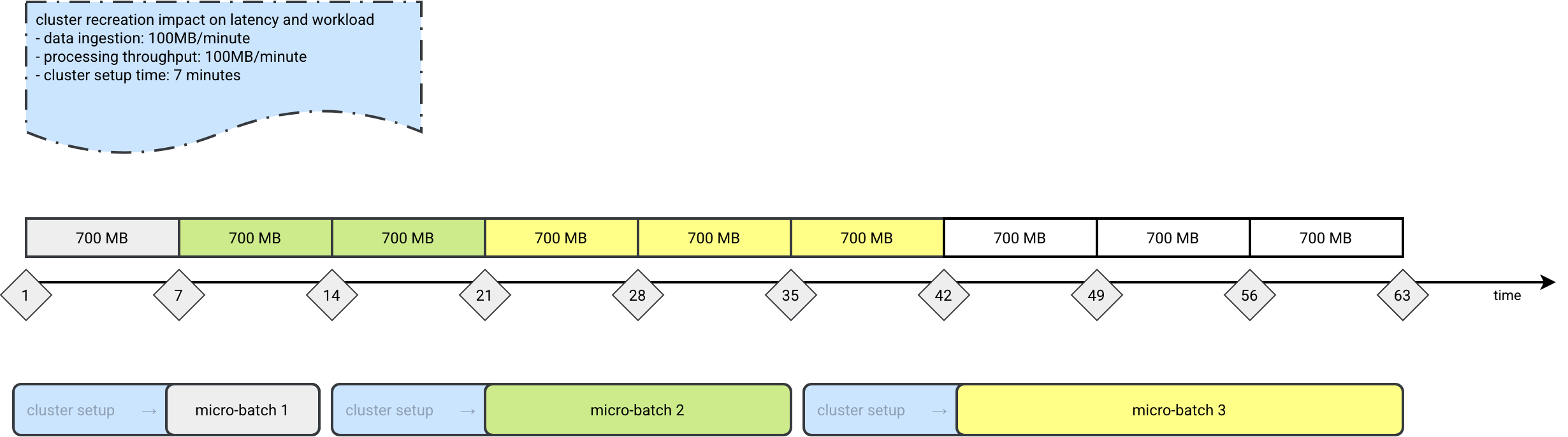
If latency and workload predictability are your concerns, it's much better to use a processing time or the default as-soon-as-possible triggers. And if for whatever other reason you have to stay with the available now trigger, it's safer to wrap it in a loop, such as:
iteration = 1
while True:
  logger.info(f'Started a new iteration: {iteration}')
  # Your processing logic with the availableNow trigger
  # streming_query.awaitTermination()
  iteration += 1
...or to use an always-up classic compute cluster.
But generally speaking, the available now trigger is better adapted to the CRON-based workloads. It was by the way designed for this kind of simulated streaming in the batch world. In this world the streaming API provides checkpointing, eventually state management, but the data processing doesn't require a continuously running consumer and/or lower latency.
Retries
To ensure your job is up and running, Lakeflow monitoring won't be enough. Additionally you have to configure the job with a correct retry strategy. If we go back to the first code snippet in this blog post, you will see a task_retry_mode set to ON_FAILURE. Why is it important?
By default Lakeflow runner will restart any failed job which is probably fine for 80% of the use cases where there is a single streaming task. However, there are remaining 20% where a Lakeflow job is composed of many tasks. In that case even when one task fails, the others are still running. From Lakeflow's standpoint, such a job is still in the correct state. Consequently, your failed task will not be restarted. Here is an example of the continuous job composed of two tasks where one has just failed and the other is still running:
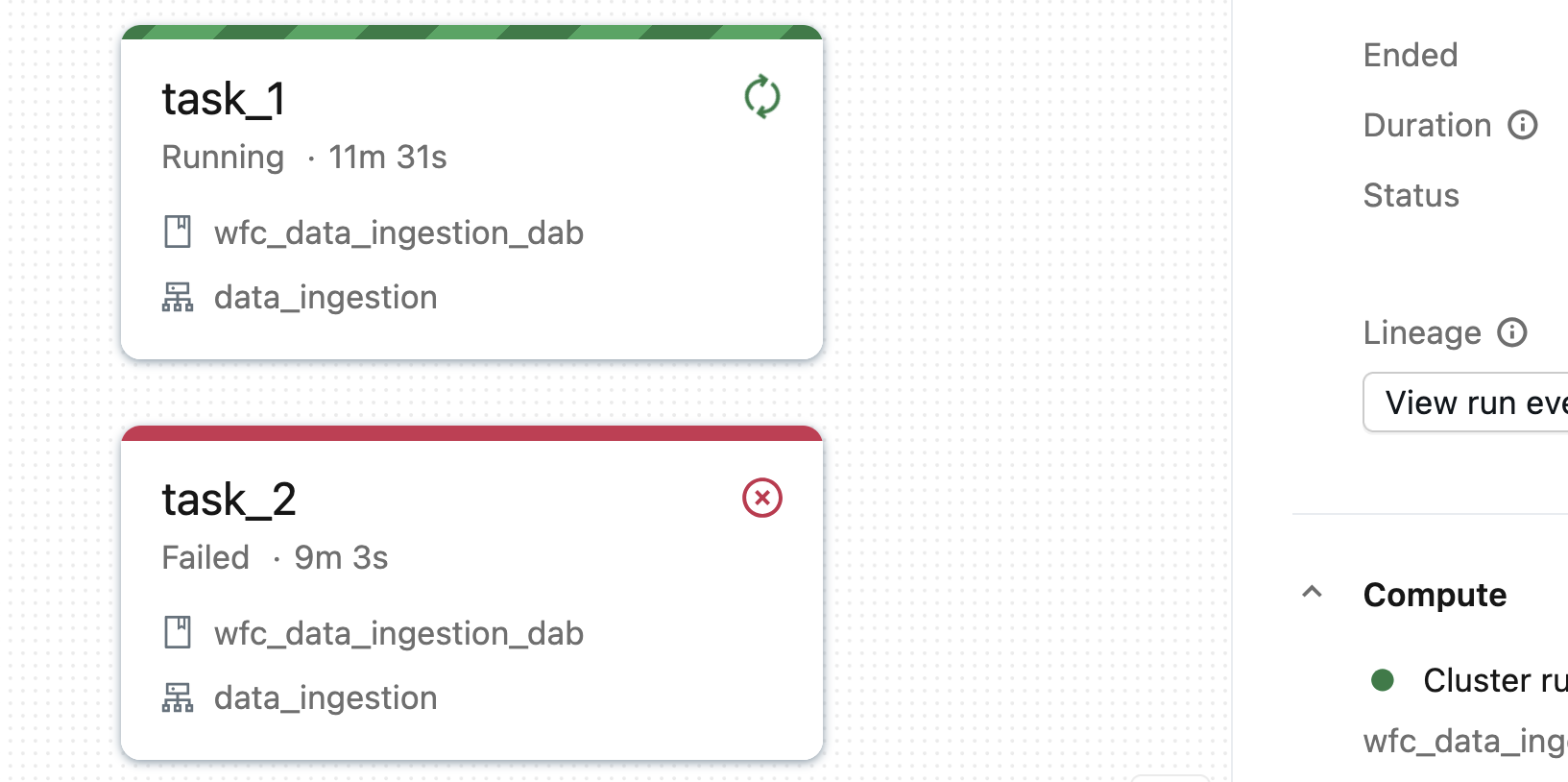
The job will be running unless you configure the task_retry_mode to ON_FAILURE. In that setup Lakeflow will automatically retry the failed task. Here is what happens with our job after enabling this on failure mode:
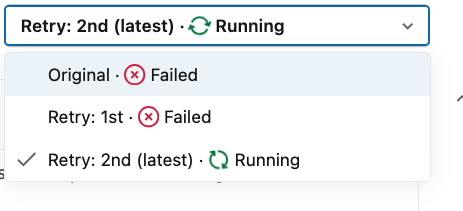
The retry uses an exponential backoff algorithm. For the jobs composed of a single task, the task will be retried three times by default. Passing that time, Lakeflow will schedule a new job run. For jobs with two or more tasks, a new run will be scheduled only if other tasks are not in the running state (either completed, or failed). In that case the retry will be task-based.
Composition
Even though your continuous job can have many tasks, it doesn't mean you can add dependencies between them. Remember, the tasks are supposed to be running continuously. How you could then build a directed acyclic execution graph?
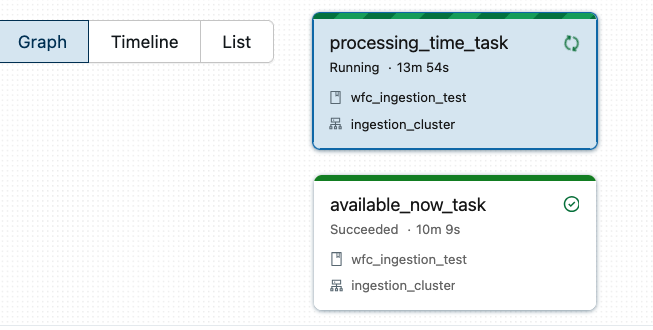
Avoid combining Available Now-triggered tasks with Processing Time-triggered tasks on the same job. What will happen is that the available now task won't be able to start the next execution because the current job is already up and running:
If you need some logical separation between steps and don't want to implement them in the code directly, you should try the Lakeflow Spark Declarative Pipelines (LSDP) that allows for some extra visual flexibility compared to custom Apache Spark Structured Streaming jobs.
💡 If you want to learn more SDP, you will find Spark Declarative Pipelines blog posts here
API change
When you read the documentation about the continuous trigger, you will find a note:
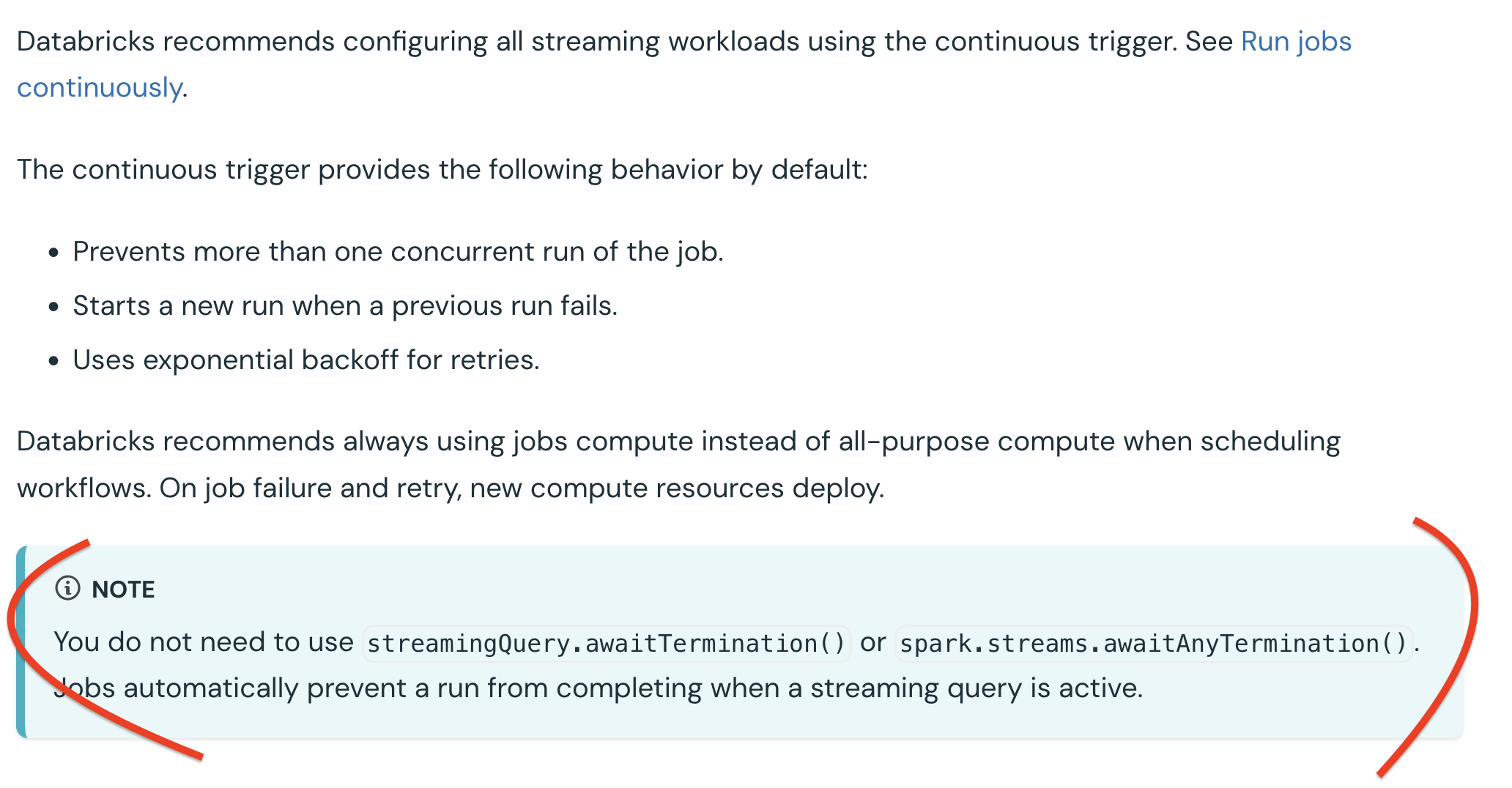
If you have just landed a new project and are working for the first time with the continuous trigger, do not be surprised to not see the awaitTermination. Lakeflow Job service takes care of keeping your streaming queries up and running.
At the end of the day, moving to a continuous trigger setup on Databricks is a straightforward configuration change that can yield massive results for your streaming apps. Don't reinvent the wheel with a tweaked CRON-based schedule. Instead simply configure your job with the continuous trigger at the bundle level and let Databricks manage the up-and-running guarantee for your.
Data Engineering Design Patterns

Looking for a book that defines and solves most common data engineering problems? I wrote
one on that topic! You can read it online
on the O'Reilly platform,
or get a print copy on Amazon.
I also help solve your data engineering problems contact@waitingforcode.com 📩
Read also about Continuous trigger on Lakeflow jobs here:
- How are failures handled for continuous jobs? Triggered vs. continuous pipeline mode Configure Structured Streaming jobs to restart streaming queries on failure
Related blog posts:
- Lakeflow Jobs, when it can and can't be a default data orchestration setup?
- Medallion layers, do you need them all?
- Python script tasks on Databricks