

Even though you mostly find ANSI-supported SQL features on Databricks, there are some useful Databricks-specific functions. One of them is the INSERT...REPLACE statement that you can use to overwrite datasets matching given conditions.
What would it take for you to trust your Databricks pipelines in production?
A 3-day bug hunt on a 3-person team costs up to €7,200 in lost engineering time. This workshop teaches you to prevent that — unit tests, data tests, and integration tests for PySpark and Databricks Lakeflow, including Spark Declarative Pipelines.

Konieczny
The INSERT...REPLACE is part of the features enabling dynamic data overwrite. With this write mode enabled, your Apache Spark writer can replace only the specific partitions that correspond to the data present in the input dataset. In other words, you can overwrite partitions incrementally without the need to provide or process the entire dataset.
A good example for dynamic data overwriting is reprocessing. Let's imagine a daily partitioned table for IoT devices. Your data producer spotted an issue and had to redeliver the full day of data again. With the dynamic data overwriting you can replace only the redelivered partition.
Historically, Apache Spark has been supporting this feature with the spark.sql.sources.partitionOverwriteMode attribute set to dynamic. Besides, in Delta Lake you can use a more intentional data overwriting operation which is the opnion("replaceWhere", partition_condition).
The question now is, why this new INSERT...REPLACE, knowing that we can already dynamically replace a partition on Databricks? Unfortunately, the dynamical partition replacement is limited to...the partitioned tables so you won't be able to use it for tables created with liquid clustering. On the other hand, the replaceWhere option is an alternative, but it requires an explicit definition of the data to be replaced - which, as you can see, defeats the purpose of a truly dynamic process.
INSERT...REPLACE
Entering the INSERT...REPLACE with two options: USING and ON. The main difference between them is the explicitness:
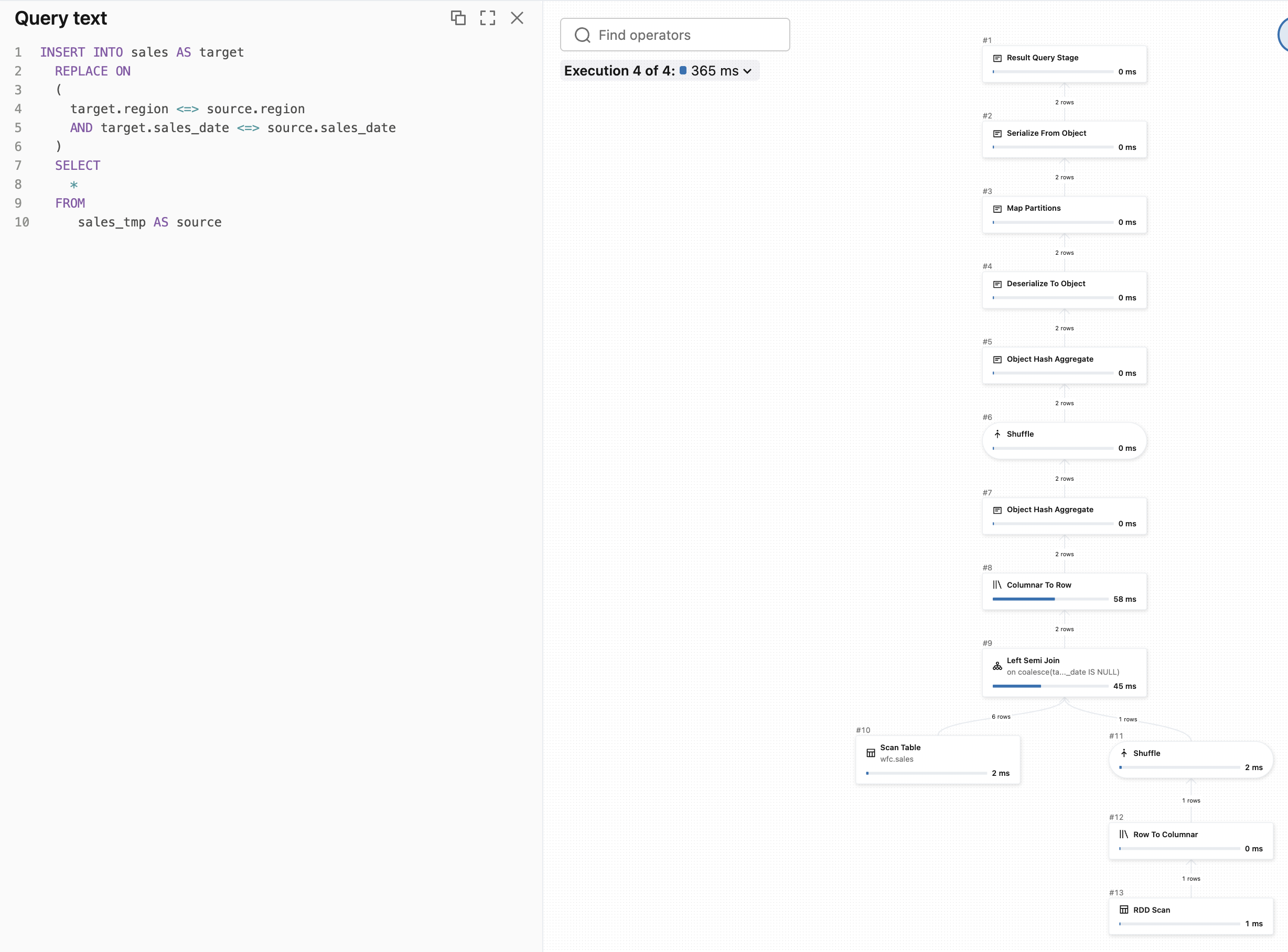
- When you use the INSERT...REPLACE ON ($condition), you need to define the replacement condition explicitly between the written table and the target table.
- When you use the INSERT...REPLACE USING ($columns), you need to define the columns used for dynamic data replacement.
To better understand the difference, let's take this clustered table:
CREATE TABLE sales (
  sales_date DATE,
  region STRING,
  amount DECIMAL(5, 3))
 CLUSTER BY (region, sales_date);

INSERT INTO sales VALUES ('2026-01-01', 'EU', 20.99), ('2026-01-01', 'EU', 11.00), ('2026-01-01', 'US', 53.00), ('2026-01-02', 'EU', 15.55);
Let's create in-memory tables, one for the USING and one for the ON options:
CREATE TABLE sales_tmp LIKE sales;
INSERT INTO sales_tmp VALUES ('2026-01-01', 'EU', 1.99), ('2026-01-01', 'EU', 1.00);

INSERT INTO sales REPLACE USING (region, sales_date) SELECT * FROM sales_tmp;
DROP TABLE sales_tmp;
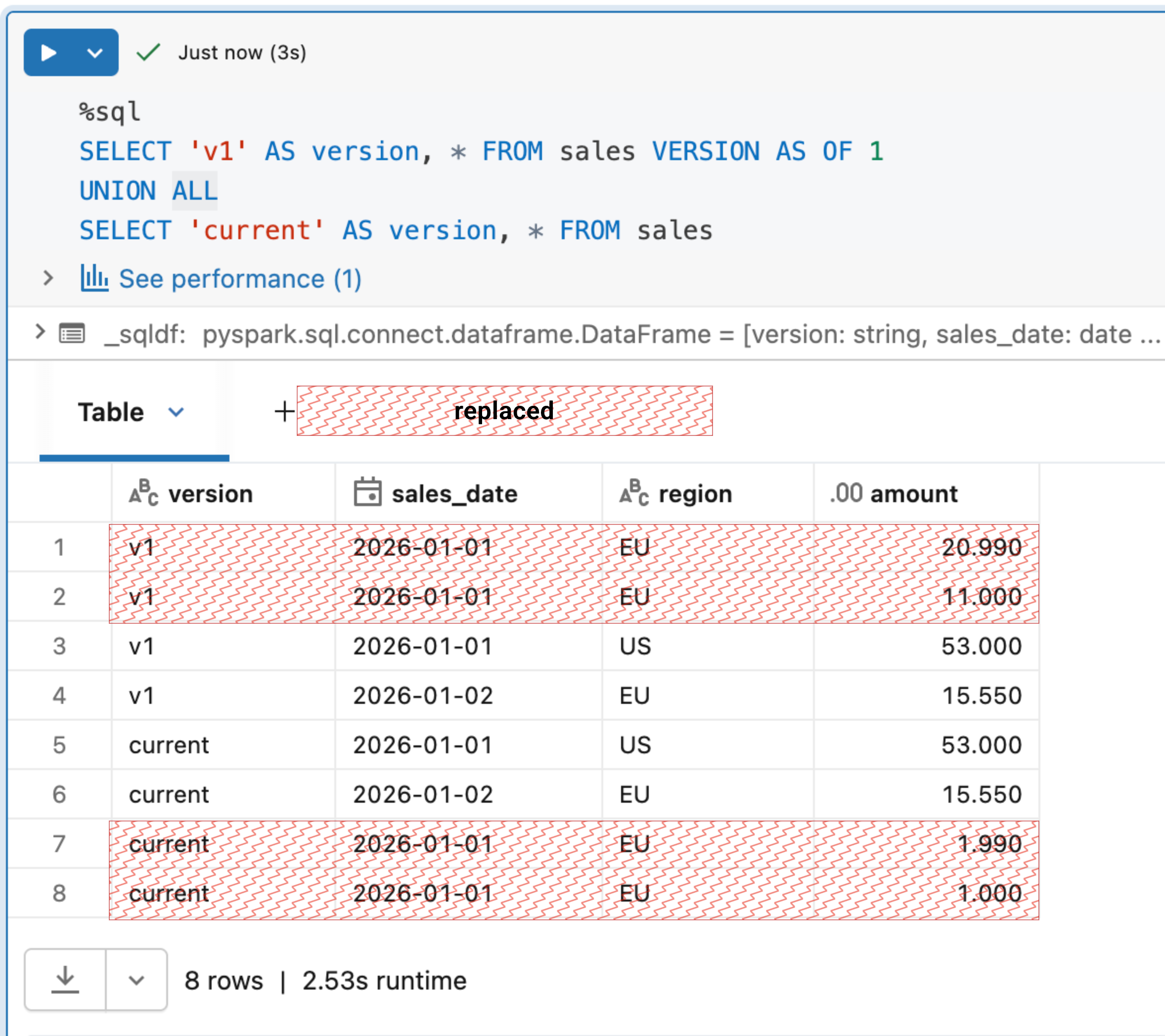
If you execute them against our initial table, you should see the data overwritten:
USING and nulls
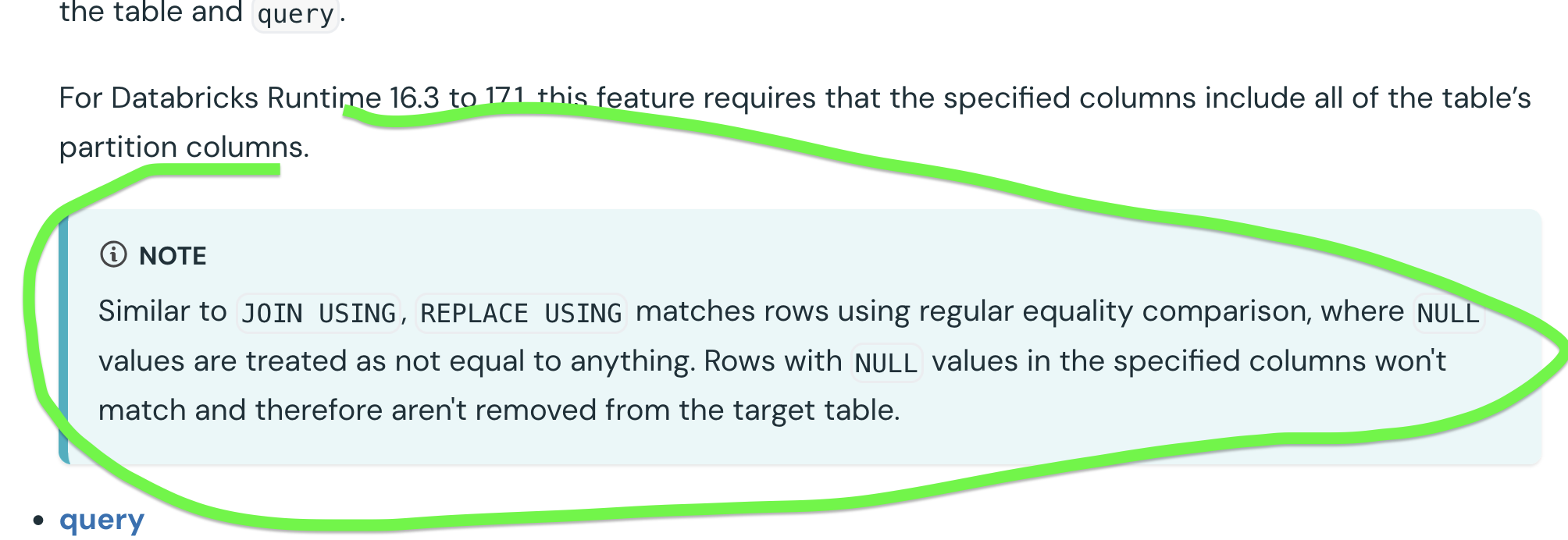
When you read check the documentation about the USING option, you will see a special warning for the NULL rows:
To address this NULL-related subtly you should use the ON option with a null-safe comparison (<=>). Let's see this with an example. First, the USING operation with nulls:
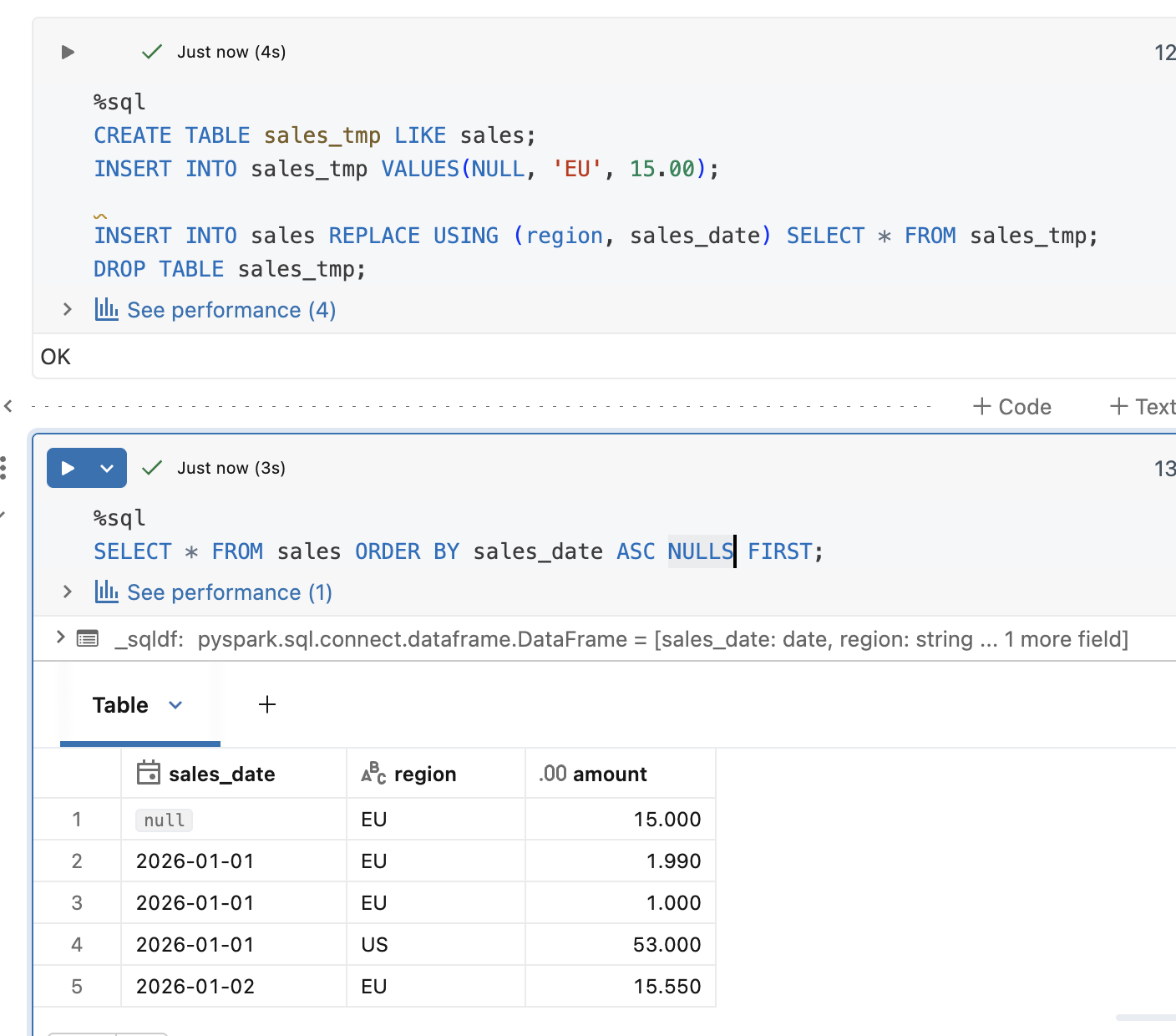
As expected, it created new rows instead of replacing them. Now, time for the same action but expressed with ON:
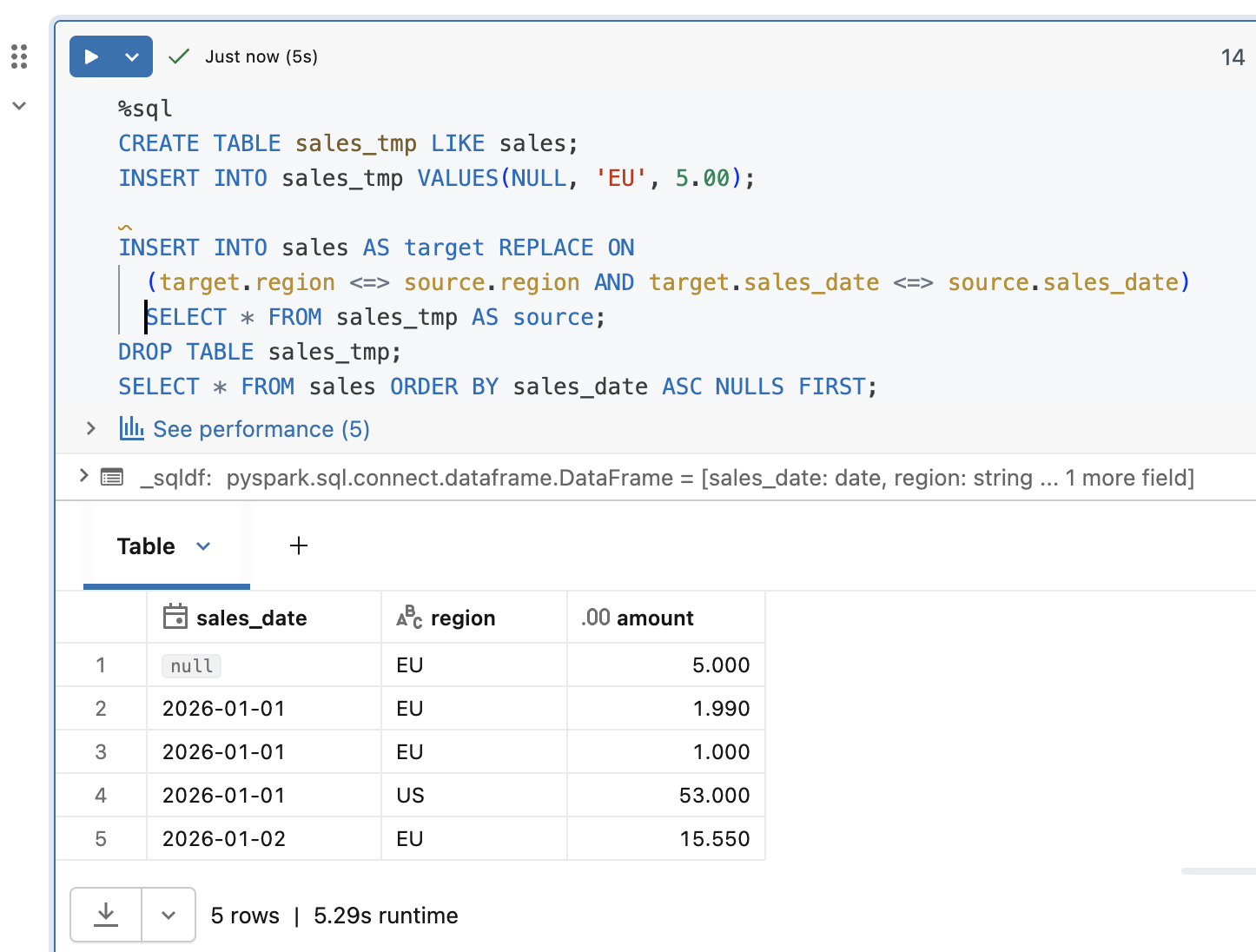
Here too things went as expected. We replaced the rows with a null-safe column condition.
Execution plan
Besides an additional flexibility, there is another difference between the USING and ON clauses.
Here is the query profile for the INSERT...REPLACE USING. As you can see, the plan is linear, i.e. it goes straight from up to bottom:
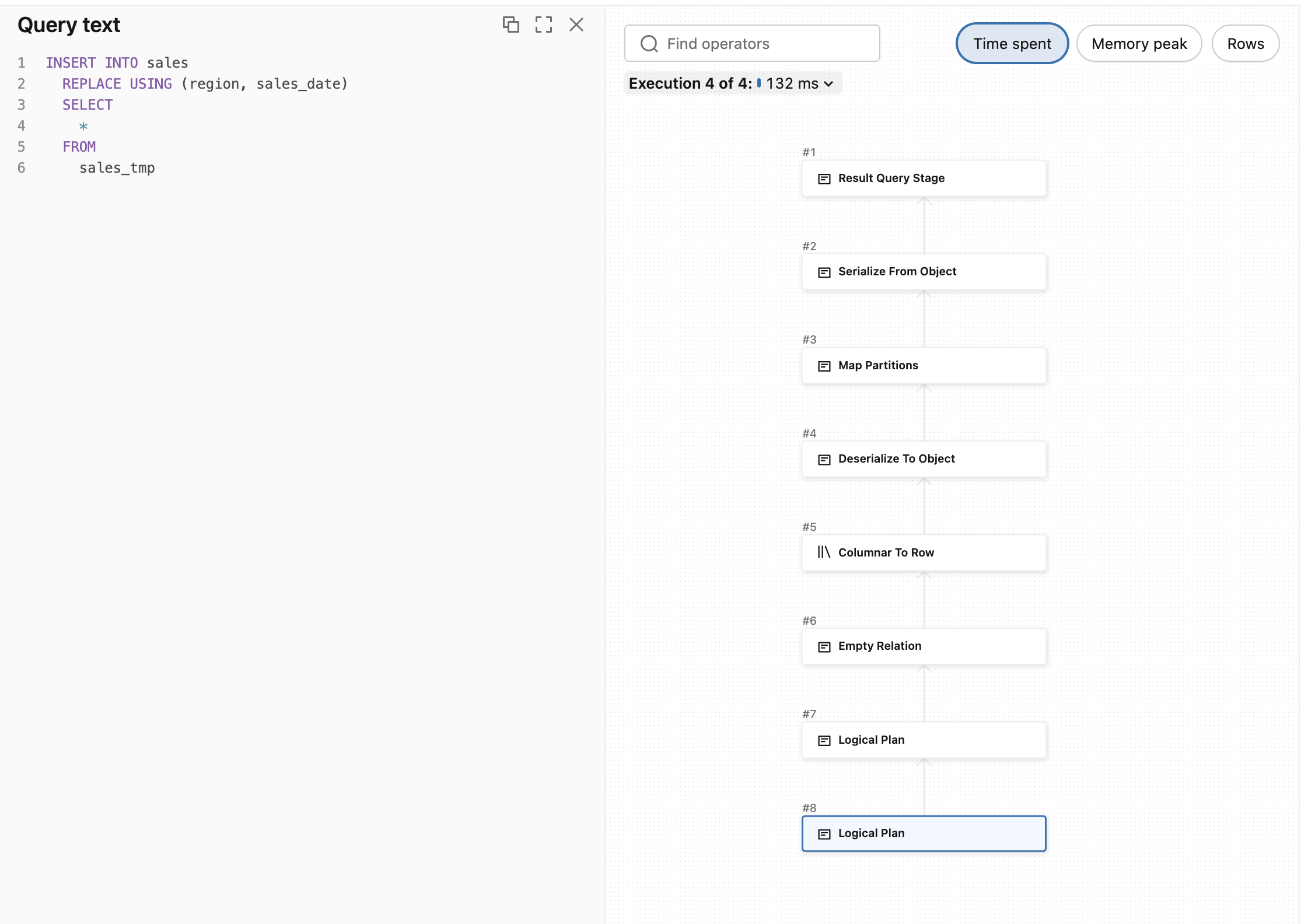
But when you start involving explicit join condition, the query plan will change and involve shuffle. Even for the INSERT...REPLACE ON! Let's see the execution plan for the previous replacement query that protected us against null issues:
And MERGE?
The MERGE operation in our case is a poor choice. As you can see, the columns used in the clustering are not unique, i.e. we have two rows for '2026-01-01' and 'EU' keys. Consequently, if you run a MERGE on top of these columns, exactly like in our INSERT...REPLACE ON statement, you will see both rows updated. Since the result may surprise you, let me share an example:
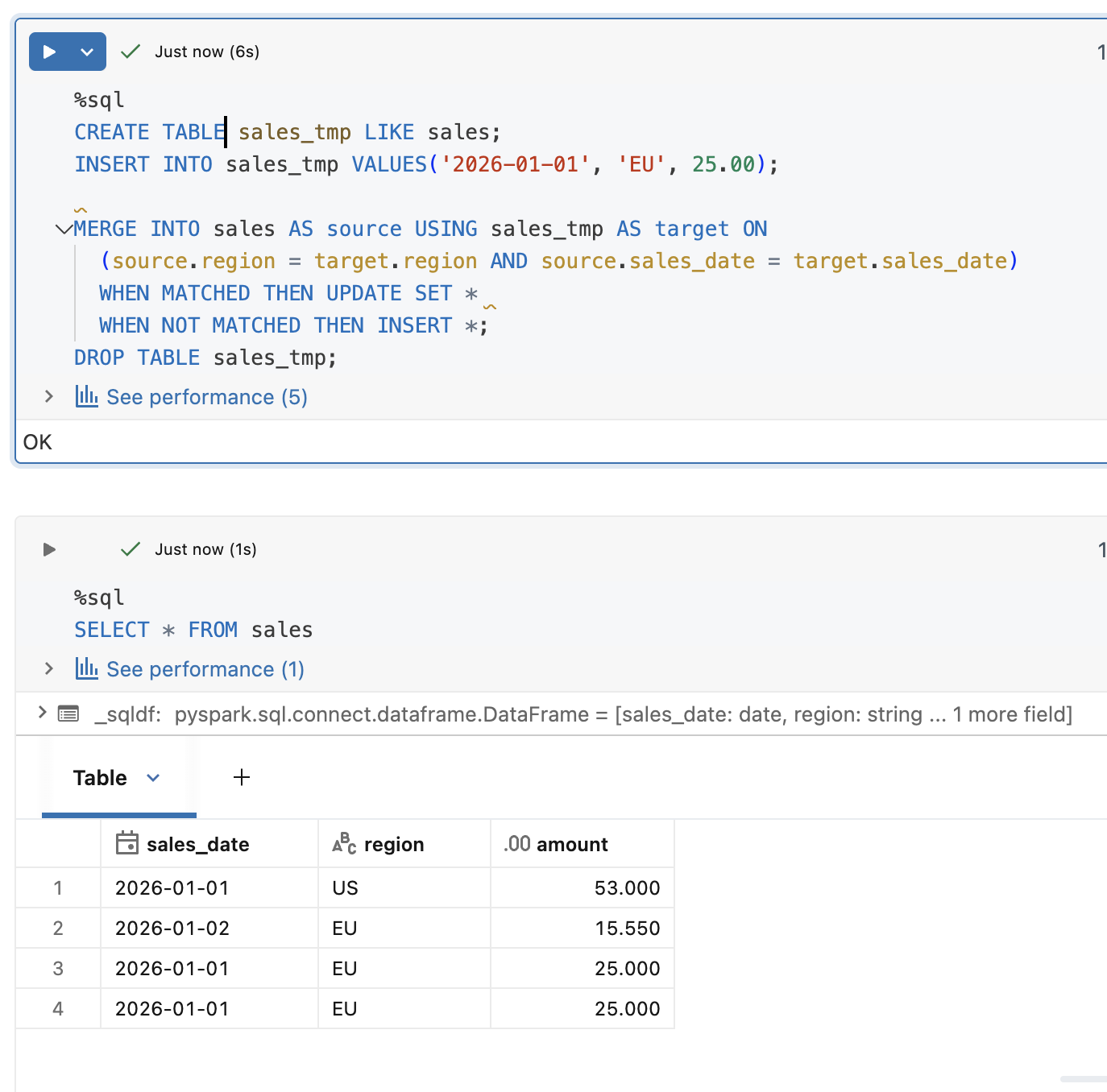
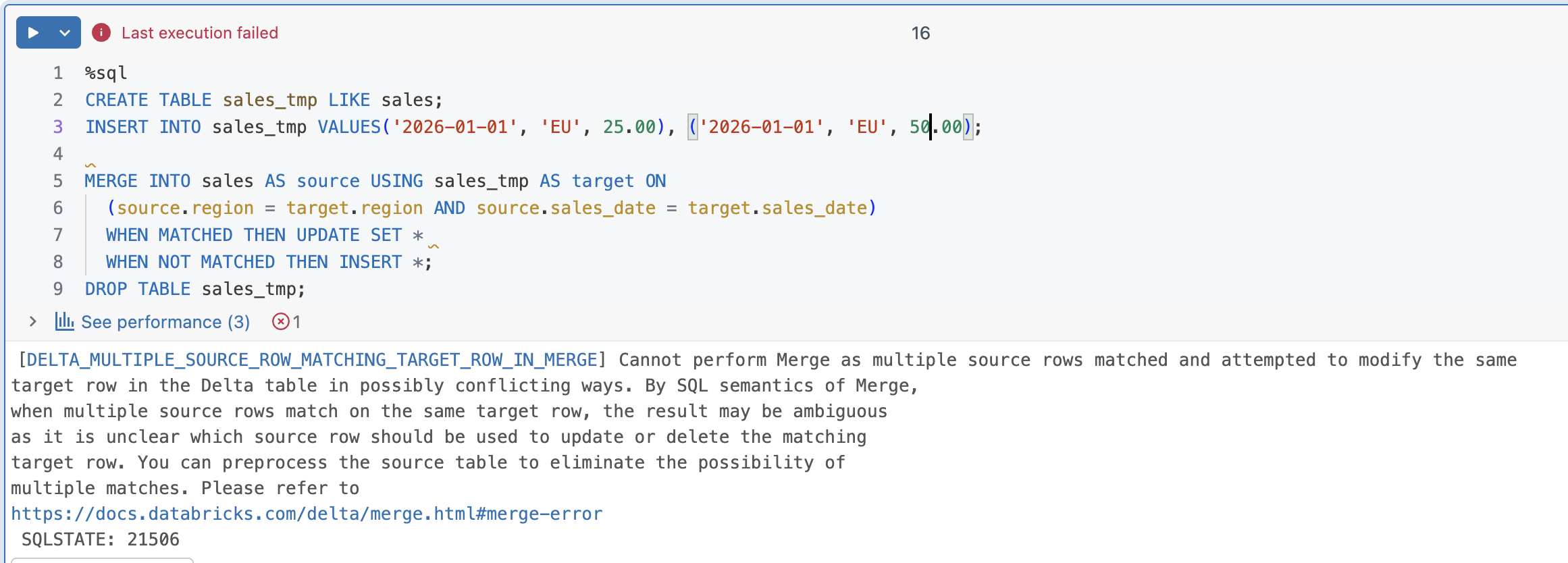
As you can see, both columns were updated with the same value. And if you try to run exactly the same MERGE statement but with many columns matching the target columns, you will get an error like in the next example:
🚫 Beware of late data!
The INSERT...REPLACE replaces the whole dataset that matches the rows present in the replacement keys statement. So, if your inserted dataset contains only a single record that might come from a late data producer, the operation will contain only this late record:
DROP TABLE sales;
CREATE TABLE sales (
  sales_date DATE,
  region STRING,
  amount DECIMAL(5, 3))
 CLUSTER BY (region, sales_date);
INSERT INTO sales VALUES ('2026-01-01', 'EU', 20.99), ('2026-01-01', 'EU', 11.00), ('2026-01-01', 'US', 53.00), ('2026-01-02', 'EU', 15.55);

CREATE TABLE sales_tmp_late_data LIKE sales;
INSERT INTO sales_tmp_late_data VALUES('2026-01-01', 'EU', 5.00);

INSERT INTO sales REPLACE USING (region, sales_date) SELECT * FROM sales_tmp_late_data;
DROP TABLE sales_tmp_late_data;
After the execution, you will see only one record for '2026-01-01' and 'EU':
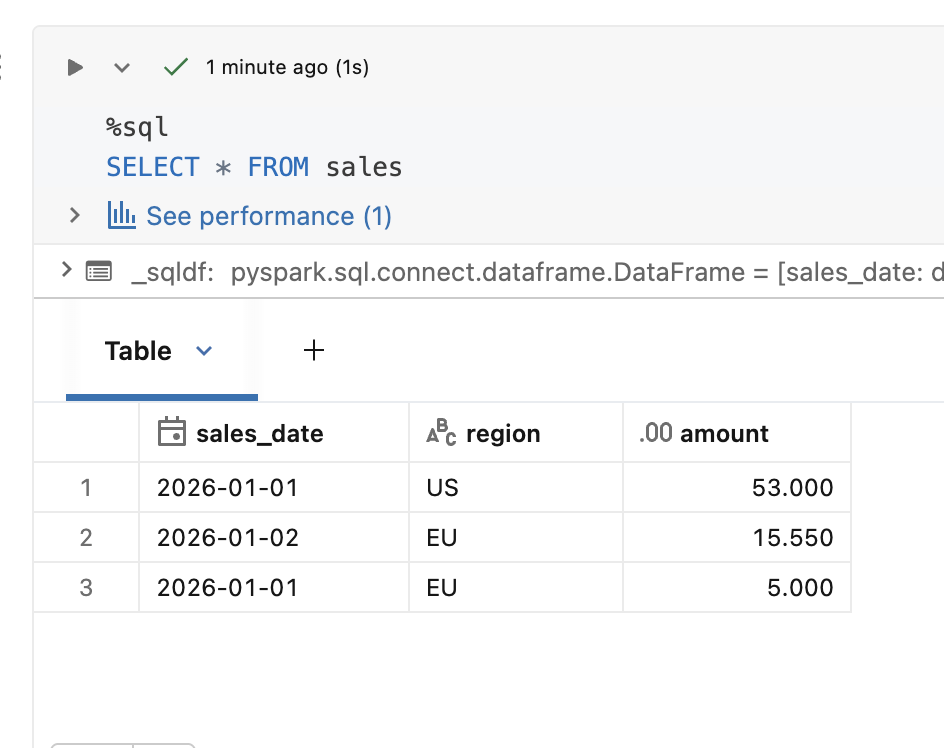
Although this INSERT...REPLACE is a great addition to the data ingestion capabilities on Databricks, there is a tiny drawback. At the moment it's only supported with SQL, and if you are a seasoned DataFrame API user, you will have to create a temporary table with your input data before running the insert. But it should be an acceptable trade-off because the feature extends your ability to operate on the liquid clustered tables, and also helps cover fully incremental scenarios that might be impossible to solve with MERGE.
Data Engineering Design Patterns

Looking for a book that defines and solves most common data engineering problems? I wrote
one on that topic! You can read it online
on the O'Reilly platform,
or get a print copy on Amazon.
I also help solve your data engineering problems contact@waitingforcode.com 📩
Read also about Databricks and INSERT...REPLACE here:
Related blog posts:
- Lakeflow Jobs, when it can and can't be a default data orchestration setup?
- Medallion layers, do you need them all?
- Python script tasks on Databricks