

Even though I've wrapped up my exploration of Spark Declarative Pipelines, there is still one topic on my mind. How does "vanilla" SDP relate to the Databricks version, known as Lakeflow Spark Declarative Pipelines? I'll try to answer that today and, hopefully, share some interesting insights with you.
What would it take for you to trust your Databricks pipelines in production?
A 3-day bug hunt on a 3-person team costs up to €7,200 in lost engineering time. This workshop teaches you to prevent that — unit tests, data tests, and integration tests for PySpark and Databricks Lakeflow, including Spark Declarative Pipelines.

Konieczny
History
To start with, a quick historical reminder. Lakeflow Spark Declarative Pipelines (LSDP) is the successor to Delta Live Tables (DLT). The core concept remains the same: instead of writing your data processing logic with triggers, awaitTermination, and other Structured Streaming primitives, you declare the workflow inside decorated Python functions or SQL scripts. The Databricks runner takes care of the rest, such as handling row writes, orchestrating job execution, scaling, and even applying data quality rules (cf. Data quality on Databricks - Delta Live Tables).
At Data+AI Summit 2025, Databricks announced it was donating the DLT core to Apache Spark. Simultaneously, DLT was rebranded to Lakeflow Spark Declarative Pipelines (it was briefly referred to as Lakeflow Declarative Pipelines, but LSDP seems to be the final name).
Operational challenges
I must warn you: while the declarative premise behind LSDP is great, the operational complexity can be tricky. Even though you can technically run workflows on serverless compute, it doesn't mean you can deploy these pipelines as easily as standard Lakeflow jobs. Why? The first challenge is the Product Edition. You must choose one of three editions:
- Core. The basic edition that lets you run streaming workflows.
- Pro. The Core edition with additional support for the data sources exposing the Change Data Capture (CDC).
- Advanced. The Pro edition with additional support for data quality expectations and monitoring.
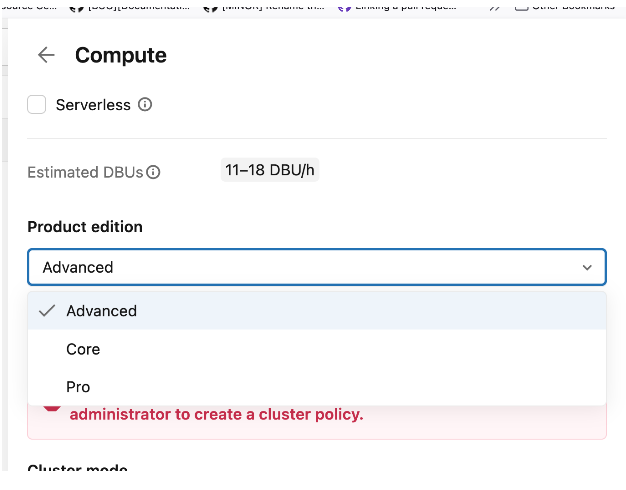
That sounds simple enough, right? Well, yes and no. Product Editions only apply to Classic Compute (the clusters you manage yourself). If you use Serverless Compute, you don't choose an edition; the execution mode automatically includes all features from the Advanced edition.
To complicate things further, serverless compute comes with two dedicated modes you might recognize from Lakeflow jobs: Standard and Performance Optimized. The primary differences here are guaranteed startup times and cost.
Speaking of costs, the pricing model is also far from straightforward. For example, if you use Classic Compute with the Photon engine enabled, the documentation notes a "DBU emission rate of 2.9X." Thankfully, once you understand these nuances, the Pricing Calculator makes TCO estimation much easier.
Runtime
LSDP has its dedicated runtime, and a pretty special behavior. When you submit a pipeline, you need to specify the runtime channel to one of:
- Current. The default configuration, and recommended for production workloads, that offers the most recent stable environment for your workloads.
- Preview. The next environment that will become Current. It lets you test your pipelines against upcoming changes.
I highlighted the your workloads on purpose here since the runtime channels because they are here for you. Typically, if you have a development or staging environment and want to ensure your pipeline will still be working against the new Current, you can configure the pipelines to use the Preview channel.
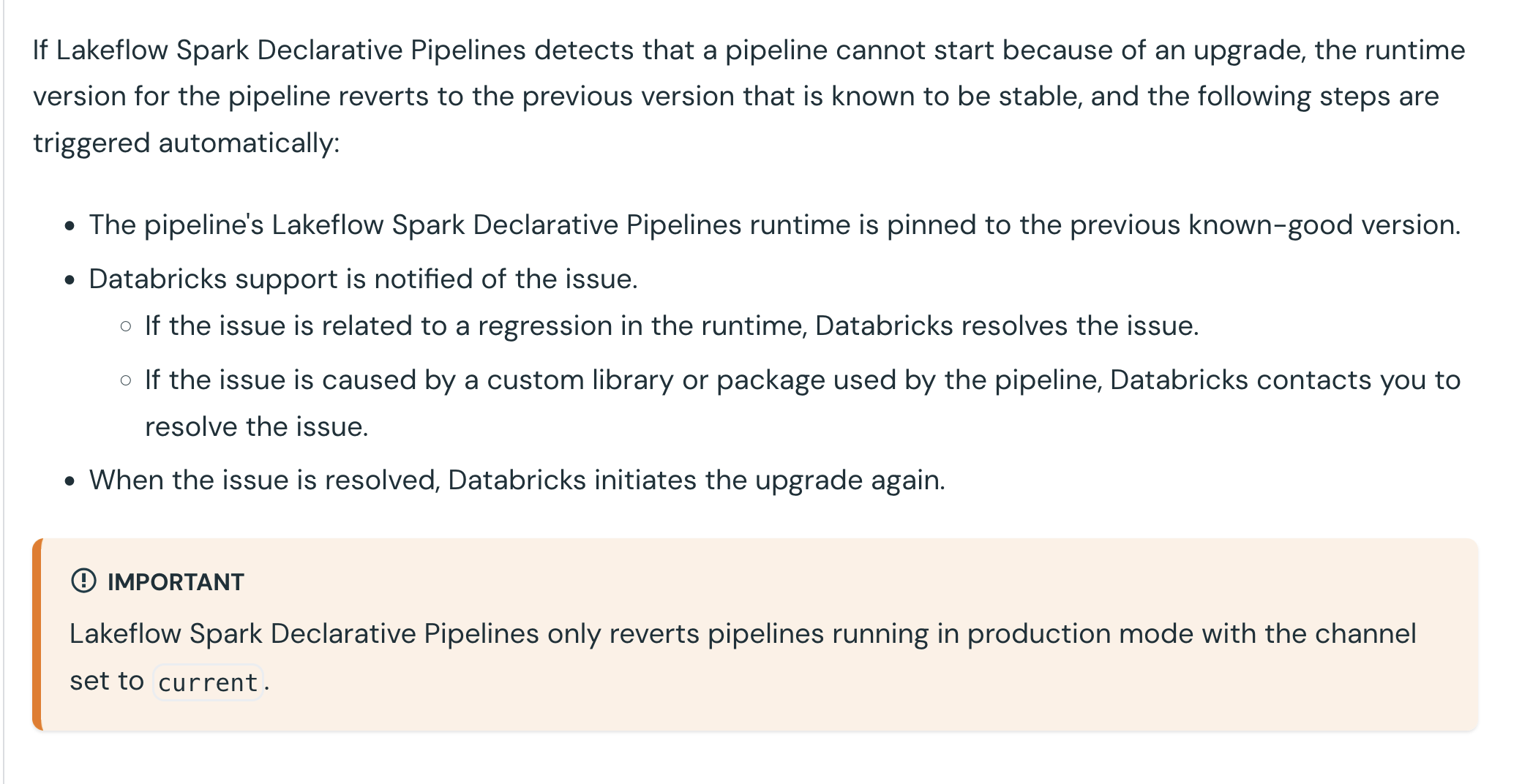
After reading that, you may now be worried. Databricks will automatically upgrade my workflows to work against the new Current version, even though I haven't tested my pipelines against the Preview channel? If only the answer could be yes or no... Yet again, the answer is more nuanced. Indeed, Databricks will migrate your pipelines to the new runtime version available in the Current channel but if the migrated pipeline cannot start, Databricks will cancel the migration and use the previous runtime version in the Current channel.
After spotting the issues, different things can happen. Here is the doc excerpt that explains various paths:
Enzyme - incremental refresh
Enzyme engine - although you won't find an official mention in the documentation - is the heritage from the Delta Live Tables times optimizing materialized view refreshes. Thanks to Enzyme - or an improved refresh logic if you prefer to avoid quoting terms missing in the documentation - LSDP runner can refresh only the data segments that have been impacted by the recently processed data. Without this optimization your workflow would refresh the whole table each time.
⚠ As of this writing, only materialized views managed by the serverless runtime support incremental updates. To verify the latest support status, please check the documentaton.
📝 I'm currently writing a blog post on the Enzyme engine based on the recent Databricks' paper: Enzyme: Incremental View Maintenance for Data Engineering.
Since Databricks Runtime 17.3 - in beta at the moment - you can also configure a REFRESH POLICY to enforce or recommend incremental refreshes. In case of enforcement, if the view cannot be incrementally refreshed, the refresh operation will fail.
That's something I haven't told you before, the incremental refresh doesn't work every time. Among the operations supported by the incremental refreshes you'll find:
- Append-only. The name speaks for itself, in this mode new results computed by your pipeline are simply added to the existing view.
- Generic aggregate. An optimization for aggregation that is less effective than Group aggregate as it might need to run a broader data scan.
- Group aggregate. This one happens when the aggregates, for example generated via GROUP BY expressions, change.
- Partition overwrite. This mode refreshes the whole partition impacted by the processed data.
- Row-based. Here only the rows modified in the pipeline are rewritten.
- Window function. Quite similar to the partition overwrite as the Window function optimization only overwrites the changed windows in the most recent pipeline run. Keep in mind when you use a window without partitioning, the incremental refresh will not apply because of the WINDOW_FUNCTION_WITHOUT_PARTITION_BY error (if it sounds mysterious, you'll learn more in the demo from the next section).
📍 Do you know when you create a materialized view outside LSDP, Databricks creates the refresh pipeline for you? Here is a quick example:
  CREATE TABLE workspace.default.blog_posts_raw (
        id STRING,
        title STRING,
        category STRING
    );
    CREATE MATERIALIZED VIEW workspace.default.mv_blog_posts_raw AS SELECT * FROM workspace.default.blog_posts_raw;
When you check the Jobs & Pipelines page, you will be able to see the pipeline created to refresh the view:

To know whether your pipeline refreshed a table incrementally or fully, you can look for planning_information event type in the event log:
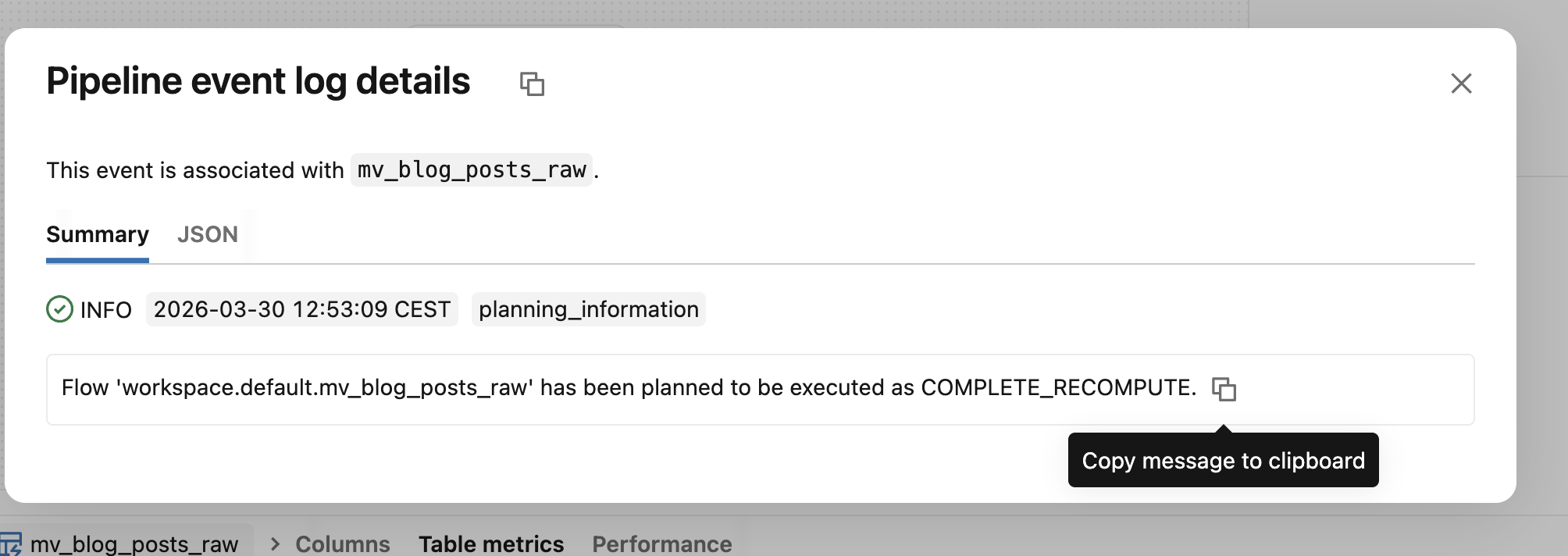
The various conditions for the incremental refreshes spotted my attention to the point of recording yet-another Databricks demo on my YouTube channel 😅
Lakeflow Spark Declarative Pipelines are the continuity of historical Delta Live Tables, i.e. the declarative way for executing data engineering jobs on Databricks. The main difference now is their presence in the vanilla Apache Spark that might simplify their adoption on the platform. It was only the first blog post of 3 articles dedicated to the LSDP. Next part in a week!
Data Engineering Design Patterns

Looking for a book that defines and solves most common data engineering problems? I wrote
one on that topic! You can read it online
on the O'Reilly platform,
or get a print copy on Amazon.
I also help solve your data engineering problems contact@waitingforcode.com 📩
Read also about Lakeflow Spark Declarative Pipelines, introduction and incremental refreshes here:
- Delta Live Tables Announces New Capabilities and Performance Optimizations Optimizing Materialized Views Recomputes
Related blog posts:
- Enzyme and Materialized Views on Databricks - better understanding from the SIGMOD-Companion paper
- Lakeflow Spark Declarative Pipelines and Slowly Changing Dimensions
- Lakeflow Spark Declarative Pipelines, flows, private tables, and configuration
- Spark Declarative Pipelines internals
- Spark Declarative Pipelines, going further