

Welcome to the second blog post on Lakeflow Spark Declarative Pipelines. Today we are going beyond the environment to see how to declare the processing jobs.
What would it take for you to trust your Databricks pipelines in production?
A 3-day bug hunt on a 3-person team costs up to €7,200 in lost engineering time. This workshop teaches you to prevent that — unit tests, data tests, and integration tests for PySpark and Databricks Lakeflow, including Spark Declarative Pipelines.

Konieczny
Although Lakeflow Spark Declarative Pipelines share most of the API features with their open source version, they also have some Databricks-specific features that greatly simplify writing specific types of workloads.
📌 Slowly Changing Dimensions are part of these Databricks-centric features but I like it so much that I decided to dedicate a complete blog post to them ;)
Besides, I will also emit expectations. Even though they are an intrinsic part of the LSDP, I already blogged a few words about them in Data quality on Databricks - Delta Live Tables.
Private tables
You know it already from my previous blog posts (here or here), separate streaming queries defined in the same Structured Streaming job don't work on the same input data. Naively to address this issues you should materialize the common dataset and somehow hide it from your data catalog:
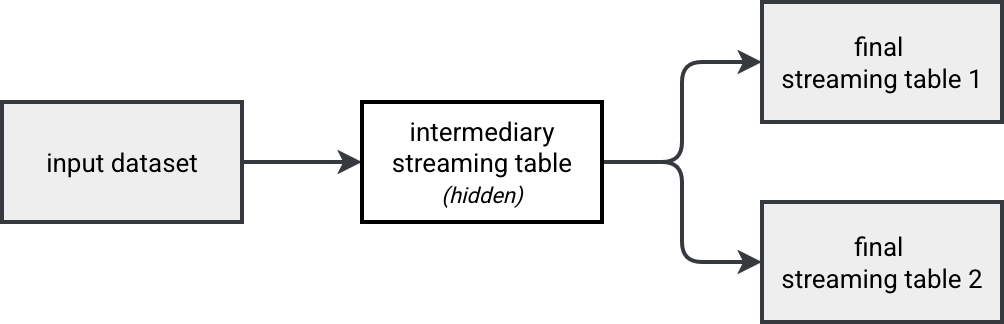
Good news is, you don't have to implement it on Databricks. The Lakeflow runner for SDP comes with a purely declarative feature that helps hide a table to the external users. As a result, the declared private table remains visible to all the assets present in the pipeline.
This magical feature are private tables. You declare them just as a regular streaming table, so with the @table annotation. The single difference is the private=True argument you need to add to the decorator.
Here is a code snippet showing how to declare private tables:
@pipelines.table(private=True)
def numbers_with_processing_time() -> DataFrame:
    return (
        spark.readStream.table("numbers").withColumn("processing_time", F.current_timestamp())
    )
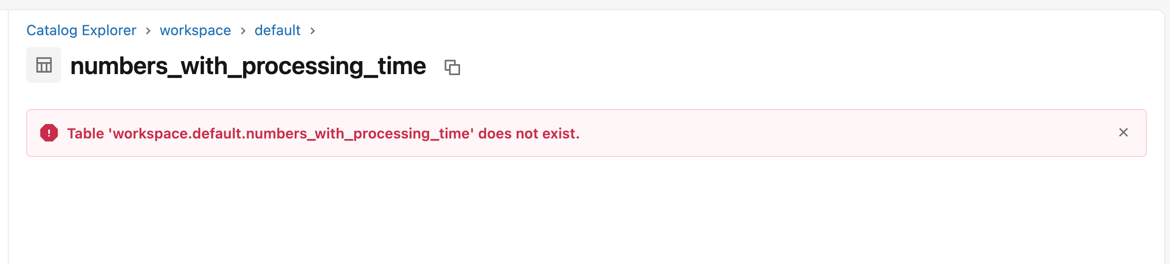
And here is what happens when you click on the "see table in the catalog" button from your pipeline's UI:
Foreach sink
The foreach batch sink is the Swiss knife in Apache Spark Structured Streaming as it extends your micro-batching world to infinite possibilities present for the batch workloads. Now it's also available - in Public Preview as of this writing - on Lakeflow Spark Declarative Pipelines!
Typically, you will use the ForeachBatch sink in the same circumstances as for Structured Streaming API, so to apply some advanced merge operations (e.g. custom merge logic depending on the micro batch), implement a Fan-out pattern to write multiple sinks (e.g. to not having to materialize a source if you want to avoid an inconsistent reading in the pipeline; cf. Multiple queries running in Apache Spark Structured Streaming).
To use the ForeachBatch sink, simply create a sink method as you would do for Apache Spark Structured Streaming, decorate it with @foreach_batch_sink(name="abc"):
@pipelines.foreach_batch_sink(name="abc")
def foreach_batch_sink_example(df: DataFrame, batch_id: int):
    # ...
...and reference the sink as an append_flow:
@pipelines.append_flow(
    target="abc",
)
def printer_and_counter_flow():
  return spark.readStream.table("numbers")
You must remember that the ForeachBatch flexibility involves some additional complexity on your side. Since the pipeline runner doesn't know where the ForeachBatch sink writes the DataFrame, you might need to implement a dedicated data cleaning step in case of full refreshes.
Input parameters
When you run some code in production, it's rare that you don't need some external context information. LSDP support parameterization via spark.conf getter. For example, to get a filtering value, you could declare the pipeline as:
@dp.table
def read_events():
  read_event_name = spark.conf.get("blog_pipeline.readEventName")
  return read("all_blog_events").where(f'event_name = "{read_event_name}"')
To set the input parameters, use the configuration section:
resources:
  pipelines:
    input_parameters_demo:
      name: "Input parameters demo"
      # ...
      configuration:
        input_parameters.expected_modulo: 0
Scheduling
If you remember, the scheduling of the open source Spark Declarative Pipelines is limited at this moment (Apache Spark 4.1) to the available now trigger. Lakeflow Spark Declarative Pipelines inherits several features from Databricks' Lakeflow component, making them much more flexible than the open source version. LSDP supports two scheduling methods:
- Continuous
- Triggered
The continuous mode runs your workflow continuously or at some regular schedule that you can set in thepipelines.trigger.interval attribute. You can define it globally for the pipeline or individually for each table via the spark_conf option:
@dp.table(
  spark_conf={"pipelines.trigger.interval" : "1 minute"}
)
def low_latency_table():
    return (spark.readStream...)
The default values for the continuous trigger interval are 5 seconds for streaming queries, 1 minute for complete queries where all sources are Delta Lake tables, and 10 minutes for complete queries without all Delta Lake sources.
The triggered mode means your workflow will be started from somewhere else (Apache Airflow, manually via UI, API call, ...).
Using file trigger in LSDP is not supported as of this writing (Databricks Runtime 18.0).
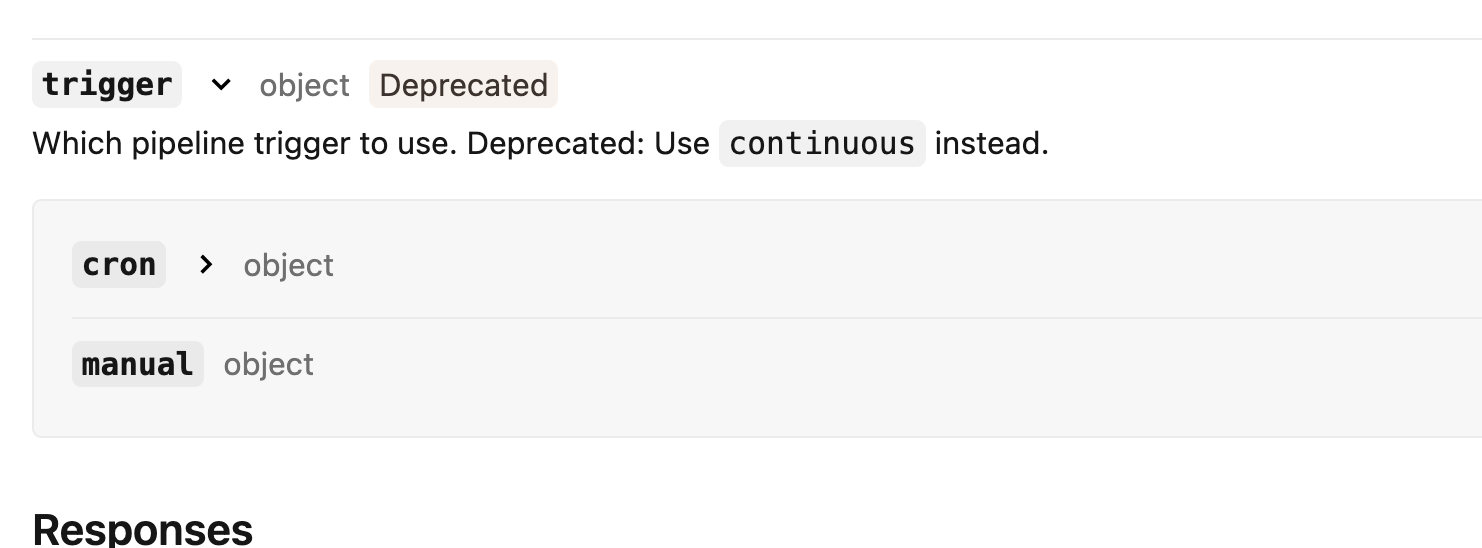
Even though it's possible to configure a CRON-based schedule, Databricks considers this attribute as deprecated and recommends using the continuous mode instead.
Scaling
Lakeflow Spark Declarative Pipelines come with a dedicated scaling strategy called Enhanced auto-scaling. It addresses the problems you might have faced with the Compute auto-scaling like problematic scaling down action. LSDP clusters with the enhanced auto-scaling shut down a node when depending on the task queue and the average ratio of the number of busy task slots to the total task slots available in the cluster. They don't expect a node to be idle like it's the case for the compute auto-scaling.
The enhanced auto-scaling is turned on by default for new pipelines but if you want to disable it, you can configure the autoscaling mode as LEGACY:
autoscale:
  min_workers: 1
  max_workers: 3
  mode: LEGACY # or ENHANCED if you want to use the enhanced auto-scaling
Besides this enhanced mode, if you use the serverless runtime you can take advantage of the vertical auto-scaling. Whenever a table refresh fails due to the Out Of Memory error, Databricks runtime tries to retry it from a larger instance type.
Finally, if your workload is predictable, you can decide to use a fixed size cluster. But you must be aware that any disturbance can lead to resources problems or increased latency.
⚙ Development mode. If you want to preserve the cluster, for example during your tests, you can turn the development mode on. In that configuration the cluster stays up and running for 2 hours (behavior can be changed via pipelines.clusterShutdown.delay) and the pipeline doesn't retry upon errors.
Coupled tables
The tables managed by your LSDP are highly coupled to the pipelines. It implies one important constraint - when you remove a pipeline, you also remove the streaming table or materialized view it manages!
Although it sounds surprising at first, when you think about these two data storage containers, you'll realize this coupling makes sense. Materialized views or streaming tables are LSDP components so they can't exist without a pipeline behind.
But in real life migrations happen and migrating a materialized view or a streaming table to another pipeline is part of that journey. Databricks makes this migration possible with the alter action:
ALTER (STREAMING TABLE | MATERIALIZED VIEW | TABLE) ${name}
  SET TBLPROPERTIES("pipelines.pipelineId"="${new pipeline id}");
The bad news is, the migration involves service interruption, i.e. your old pipeline must be stopped before you migrate the resource. Does it mean data will be lost? If you remember my blog post about open source Spark Declarative Pipelines, each pipeline manages a checkpoint for the created resources. Consequently, if we move a resource between pipelines, the data added during the migration will be lost? That's something - alongside the other points learned in previous sections - we're going to see in the demo!
Demo
In this blog post we discovered some less dedicated and less obvious features of Lakeflow Spark Declarative Pipelines. They are great a extension to the open source version improving the coverage with native Structured Streaming API.
Data Engineering Design Patterns

Looking for a book that defines and solves most common data engineering problems? I wrote
one on that topic! You can read it online
on the O'Reilly platform,
or get a print copy on Amazon.
I also help solve your data engineering problems contact@waitingforcode.com 📩
Read also about Lakeflow Spark Declarative Pipelines, flows, private tables, and configuration here:
- Move a table between pipelines Exclude tables from the target schema Triggered vs. continuous pipeline mode Use ForEachBatch to write to arbitrary data sinks in pipelines What is enhanced autoscaling?
Related blog posts:
- Enzyme and Materialized Views on Databricks - better understanding from the SIGMOD-Companion paper
- Lakeflow Spark Declarative Pipelines and Slowly Changing Dimensions
- Lakeflow Spark Declarative Pipelines, introduction and incremental refreshes
- Spark Declarative Pipelines internals
- Spark Declarative Pipelines, going further